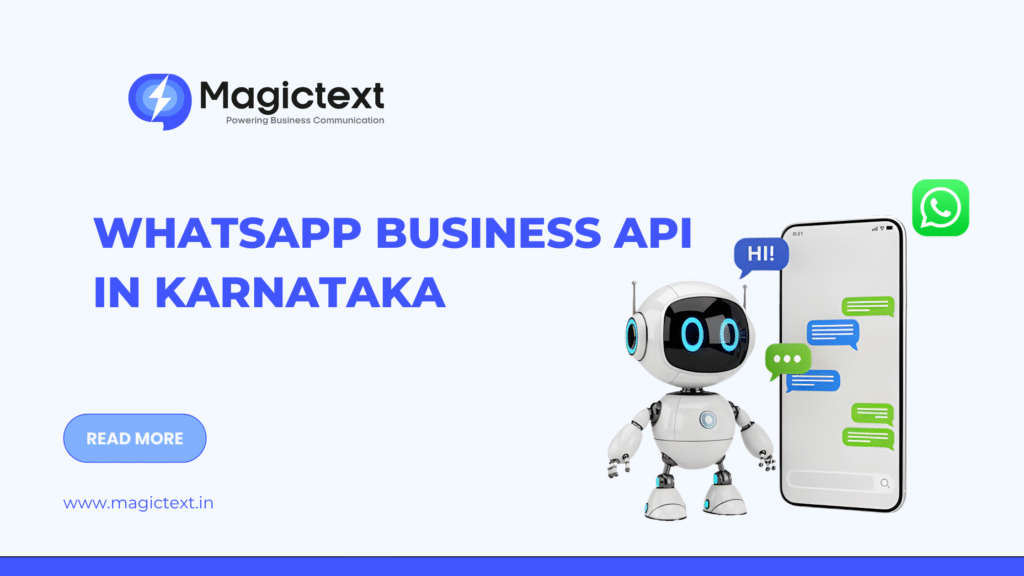
WhatsApp Business API in Karnataka: Setup Process, Pricing & Benefits Explained

WhatsApp Business API in Karnataka

Karnataka is one of India’s most digitally advanced states. From startups in Bengaluru to retail chains in Mysuru and educational institutions in Hubballi, businesses rely heavily on fast customer communication.

That’s where WhatsApp Business API in Karnataka becomes a powerful tool.

Unlike the regular WhatsApp Business App, the API version allows automation, integrations, multi-user access, and large-scale messaging. In this guide, we’ll break down the setup process, pricing structure, and real business benefits for 2026.

What is WhatsApp Business API?

WhatsApp Business API is a business-grade messaging solution designed for medium and large businesses.

It allows companies to:

  • Send automated notifications
  • Provide customer support
  • Integrate with CRM systems
  • Run marketing campaigns
  • Send order updates and reminders
  • Use chatbots for automation

It’s not a downloadable app. It works through an official provider platform.

Why Businesses in Karnataka Are Adopting WhatsApp API

Karnataka has:

  • High smartphone penetration
  • Strong e-commerce adoption
  • Large IT and startup ecosystem
  • Growing retail and healthcare sectors

WhatsApp is already widely used by customers. The API simply professionalizes and scales that communication.

Setup Process for WhatsApp Business API in Karnataka

Step 1: Choose an Official WhatsApp Business Solution Provider (BSP)

You need to work with an approved provider such as MagicText or other official partners.

Step 2: Business Verification

Your business must be verified through:

  • Facebook Business Manager

  • Business registration documents

  • GST details (if applicable)

  • Domain verification

This confirms your company’s authenticity.

Step 3: WhatsApp Number Approval

You must register a number that:

  • Is not already linked to WhatsApp Business App
  • Can receive OTP verification
  • Will be dedicated for API usage

Step 4: Message Template Approval

WhatsApp requires pre-approved templates for outbound messages such as:

  • Order confirmations
  • Appointment reminders
  • Payment alerts
  • Promotional messages

Templates must follow WhatsApp policies.

Step 5: API Integration

The provider connects WhatsApp API with:

  • CRM
  • ERP
  • E-commerce platforms
  • Helpdesk systems
  • Chatbots

This enables automated and scalable communication.

WhatsApp Business API Pricing in Karnataka (2026)

WhatsApp pricing works on a conversation-based model.

You are charged per 24-hour conversation window.

Pricing depends on:

  • Utility conversations (order updates, alerts)
  • Authentication conversations (OTP)
  • Marketing conversations
  • Service conversations (customer-initiated chats)

Approximate pricing range (subject to Meta updates):

  • Utility conversations: Lower cost
  • Marketing conversations: Higher cost

In addition to Meta charges, BSPs may charge:

  • Setup fee
  • Platform usage fee
  • Per-message markup

Businesses should evaluate total cost based on expected message volume.

Key Benefits of WhatsApp Business API in Karnataka

1. Multi-Agent Customer Support

Teams can handle thousands of chats from a single dashboard.

Ideal for:

  • E-commerce

  • EdTech

  • SaaS companies

  • Healthcare providers

2. Automation & Chatbots

Automated flows can:

  • Answer FAQs
  • Capture leads
  • Book appointments
  • Share catalogs
  • Provide tracking details

This reduces manpower cost.

3. Higher Engagement Rates

WhatsApp messages have extremely high open rates compared to email.

Customers are more likely to respond inside WhatsApp than through other channels.

4. Verified Business Profile

Businesses can display:

  • Official business name
  • Logo
  • Verified badge (after approval)

This increases trust and reduces fraud risk.

5. Rich Media Support

Unlike SMS, WhatsApp supports:

  • Images

  • PDFs

  • Videos

  • Product catalogs

  • Clickable buttons

This improves conversion rates.

Blog Page Form

Use Cases Across Karnataka Industries

Retail & E-commerce (Bengaluru, Mysuru)

  • Order confirmations

  • Abandoned cart recovery

  • Festival promotions

Healthcare (Mangaluru, Hubballi)

  • Appointment reminders
  • Report notifications
  • Follow-up communication

Education & Coaching

  • Admission campaigns
  • Fee reminders
  • Exam updates

Real Estate

  • Project brochures
  • Site visit booking
  • Lead qualification

Financial Services

  • EMI reminders
  • OTP authentication
  • Account alerts

WhatsApp API vs WhatsApp Business App

FeatureBusiness AppBusiness API
Multi-user accessNoYes
AutomationLimitedAdvanced
CRM integrationNoYes
Bulk messagingLimitedYes
ChatbotsNoYes
Best forSmall businessesGrowing & enterprise

For serious scaling, API is the better choice.

Best Practices for WhatsApp API Campaigns

  • Use clear, approved templates

  • Avoid spammy content

  • Segment customers

  • Combine marketing + service flows

  • Track conversation analytics

  • Maintain response time within 24 hours

WhatsApp prioritizes customer experience.

Conclusion

WhatsApp Business API in Karnataka is no longer optional for growing businesses. It enables automation, improves engagement, strengthens customer trust, and supports large-scale messaging.

Whether you’re a startup in Bengaluru or a retail chain expanding across Karnataka, WhatsApp API can streamline communication and improve customer experience.

The key is choosing the right provider, following compliance rules, and building a smart messaging strategy.

Frequently Asked Question for Whatsapp API in Karanataka

The WhatsApp Business App is designed for small businesses with limited automation and single-device access. The API version supports multi-user access, chatbots, CRM integration, automation, and large-scale messaging, making it suitable for growing and enterprise businesses.

To set up WhatsApp Business API in Karnataka, you need to:

  1. Choose an official WhatsApp Business Solution Provider (BSP).

  2. Verify your business through Meta (Facebook Business Manager).

  3. Register a dedicated phone number.

  4. Get message templates approved.

  5. Integrate the API with your CRM or communication system.

WhatsApp Business API pricing is based on conversation categories such as utility, marketing, authentication, and service conversations. Costs vary depending on the type of conversation and the provider’s platform fees.

Industries such as retail, e-commerce, healthcare, education, real estate, finance, and logistics benefit greatly from WhatsApp Business API for customer engagement and automation.

Yes, businesses can send bulk messages using pre-approved templates. However, all messaging must comply with WhatsApp’s policies and avoid spam practices.

Yes. WhatsApp Business API supports chatbot integration, enabling automated responses, FAQ handling, appointment booking, lead capture, and order tracking.

Yes. Businesses must complete Meta Business verification to use WhatsApp Business API and send official messages.

Yes. WhatsApp Business API can integrate with CRM, ERP, helpdesk software, e-commerce platforms, and marketing automation tools for seamless communication.

Yes. WhatsApp Business API uses end-to-end encryption and verified business accounts to ensure secure communication between businesses and customers.

Approval time varies depending on business verification and document submission. Typically, it may take a few days to a couple of weeks.

It can be suitable for small businesses with high messaging volume or automation needs. However, very small businesses may find the WhatsApp Business App sufficient.

OTP SMS Service in India (2026): Best Providers, Pricing, API & Setup Guide

OTP SMS Service in India (2026): Best Providers, Pricing, API & Setup Guide OTP verification has...

WhatsApp Chatbot for Business: Cost, Setup, Examples & Best Platforms (2026 Guide)

WhatsApp Chatbot for Business: Cost, Setup, Examples & Best Platforms (2026 Guide) Customers...

Best Bulk SMS Service in India (2026): Why Businesses Choose MagicText

Best Bulk SMS Service in India (2026): Why Businesses Choose MagicText Choosing the right Bulk SMS...

DLT SMS Rejection Reasons in India (2026): Common Errors & Instant Approval Fix Guide

DLT SMS Rejection Reasons in India (2026): Common Errors & Instant Approval Fix Guide If your...

WhatsApp Automation for Business: 15 Real Use Cases + Setup Guide (2026)

WhatsApp Automation for Business: 15 Real Use Cases + Setup Guide (2026) Businesses today are...

Leave a Comment

Your email address will not be published. Required fields are marked *

Call Now Button