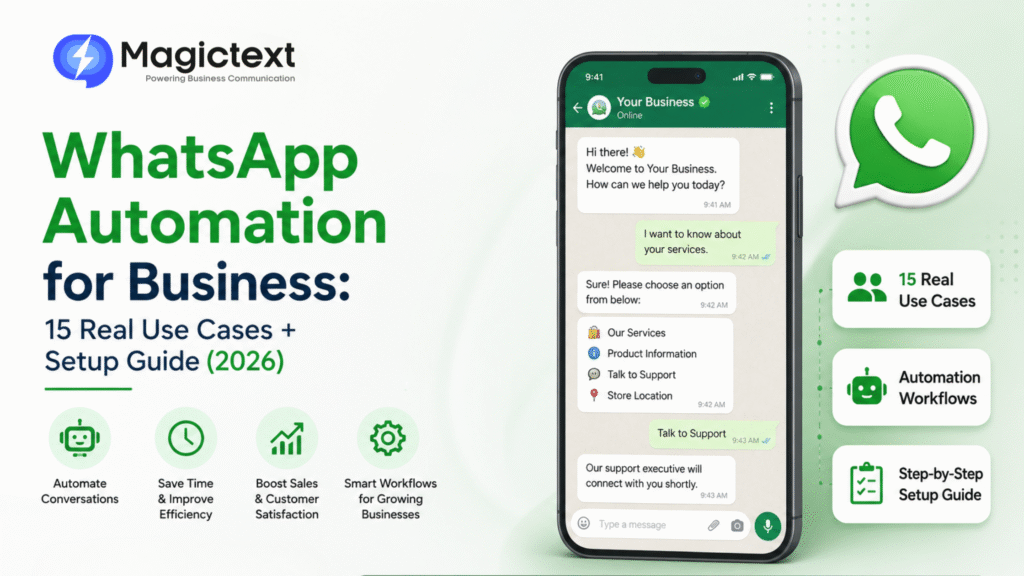
WhatsApp Automation for Business: 15 Real Use Cases + Setup Guide (2026)
Businesses today are expected to respond instantly.
Customers want:
- Quick replies
- Order updates
- Appointment confirmations
- 24/7 support
But manually handling every message is impossible at scale.
That’s why businesses are adopting WhatsApp Automation.
From e-commerce and healthcare to education and real estate, automated WhatsApp workflows are helping businesses improve customer engagement, reduce workload, and increase conversions.
In this guide, we’ll explore:
- What WhatsApp automation is
- 15 real business use cases
- Step-by-step setup process
- Best practices for 2026
What is WhatsApp Automation?
WhatsApp automation allows businesses to automatically send messages, replies, reminders, and workflows using:
- WhatsApp Business API
- Chatbots
- CRM integrations
- Automated triggers
Instead of manually replying to every customer, automation handles repetitive communication instantly.
Why Businesses Use WhatsApp Automation
Businesses automate WhatsApp because it helps:
- Improve response time
- Reduce manual support work
- Increase lead conversion
- Improve customer experience
- Handle large message volume
- Operate 24/7
Automation turns WhatsApp into a scalable business communication system.
15 Real WhatsApp Automation Use Cases
1. Welcome Messages
Automatically greet customers when they start a conversation.
Example:
Hi! Welcome to our business. How can we help you today?
2. Lead Qualification
Ask automated questions:
- Budget
- Location
- Requirement
This helps sales teams focus on serious leads.
3. Order Confirmation
E-commerce brands automatically send:
- Order details
- Payment confirmation
- Invoice links
4. Shipping & Delivery Updates
Customers receive:
- Dispatch alerts
- Tracking links
- Delivery notifications
This reduces support queries.
5. Abandoned Cart Recovery
Recover lost sales automatically.
Example:
You left items in your cart. Complete your order now.
6. Appointment Reminders
Used by:
- Hospitals
- Clinics
- Salons
- Consultants
Reduces missed appointments.
7. Payment Reminders
Send automated reminders for:
- EMI payments
- Subscription renewals
- Pending invoices
8. Customer Support Chatbots
Bots answer:
- FAQs
- Product details
- Pricing questions
- Support requests
24×7 support without manual effort.
9. Feedback Collection
Automatically ask:
How was your experience?
This improves reviews and service quality.
10. Event & Webinar Reminders
Send:
- Registration confirmations
- Reminder alerts
- Event links
Improves attendance.
11. Course & Education Updates
Institutions automate:
- Admission updates
- Class reminders
- Fee notifications
12. Real Estate Lead Follow-Up
Automatically:
- Share brochures
- Schedule site visits
- Capture lead interest
13. Restaurant Table Booking
Restaurants automate:
- Booking confirmations
- Waiting list updates
- Menu sharing
14. Internal Team Notifications
Businesses automate:
- Staff updates
- HR reminders
- Attendance notifications
15. Multi-Step Sales Funnels
Automation can guide customers through:
- Introduction
- Product explanation
- Offer presentation
- Conversion
This improves sales efficiency.
How to Set Up WhatsApp Automation
Step 1: Get WhatsApp Business API
Automation requires WhatsApp API.
Businesses usually use providers like
MagicText
to access official API services.
Step 2: Verify Your Business
Complete:
- Meta Business Verification
- Business profile setup
- Phone number verification
Step 3: Choose Automation Workflow
Decide:
- What messages to automate
- Trigger conditions
- Customer journey flow
Step 4: Connect CRM or Website
Integrate WhatsApp with:
- CRM
- Website forms
- E-commerce platforms
- Payment systems
Step 5: Create Message Templates
WhatsApp requires template approval for:
- Notifications
- Marketing messages
- Alerts
Templates must follow WhatsApp policy.
Step 6: Launch & Monitor
Track:
- Open rates
- Response rates
- Click rates
- Conversion performance
Optimization improves results over time.
Benefits of WhatsApp Automation
Faster Response Time
Customers get instant replies.
Better Customer Experience
Quick support improves satisfaction.
Higher Conversion Rates
Automated follow-ups improve sales.
Reduced Operational Cost
Less manual communication workload.
Scalable Communication
Handle thousands of conversations simultaneously.
Common Mistakes to Avoid
- Over-automation without human support
- Sending spammy messages
- Poor chatbot flow
- Delayed human takeover
- Ignoring customer consent
Automation should improve experience—not frustrate users.
WhatsApp Automation vs Manual Communication
| Feature | Manual | Automated |
|---|---|---|
| Response Speed | Slow | Instant |
| Scalability | Limited | High |
| 24×7 Availability | No | Yes |
| Operational Cost | Higher | Lower |
| Lead Follow-Up | Inconsistent | Automated |
Automation clearly improves efficiency.
Best Practices for WhatsApp Automation in 2026
- Keep conversations natural
- Use clear CTA buttons
- Combine chatbot + human support
- Personalize responses when possible
- Avoid excessive promotional messaging
Smart automation feels helpful, not robotic.
Final Thoughts
WhatsApp automation is no longer optional for growing businesses.
It helps companies:
- Respond faster
- Generate more leads
- Improve customer experience
- Scale communication efficiently
From e-commerce and healthcare to education and real estate, automation is becoming a core part of customer communication strategies in 2026.