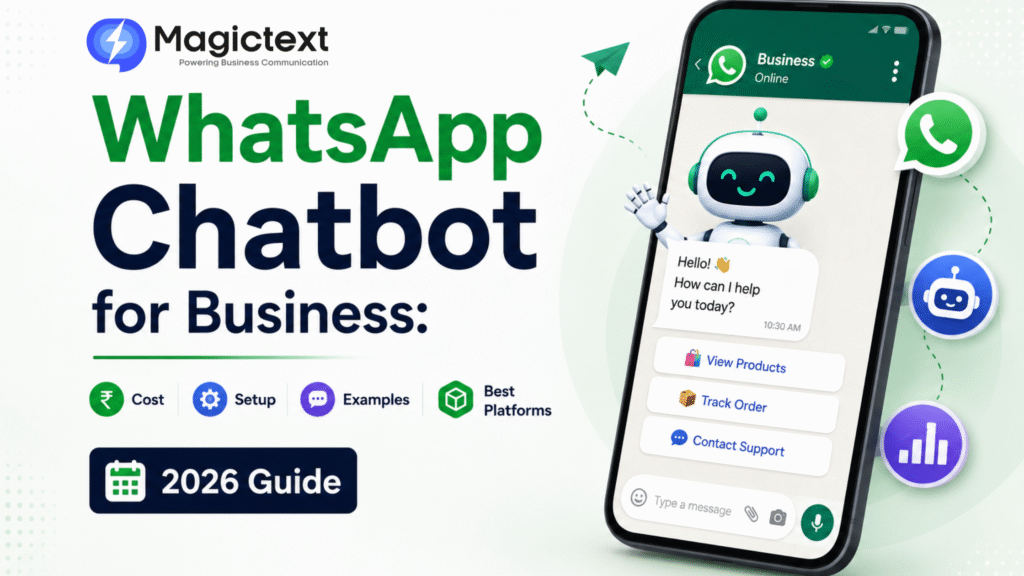
WhatsApp Chatbot for Business: Cost, Setup, Examples & Best Platforms (2026 Guide)

WhatsApp Chatbot for Business: Cost, Setup, Examples & Best Platforms (2026 Guide)

Customers expect instant replies today.

Whether it’s:

  • Product enquiries
  • Order updates
  • Appointment bookings
  • Support questions

people want answers immediately.

But replying manually to every WhatsApp message becomes difficult as businesses grow.

That’s why companies are adopting WhatsApp Chatbots.

From e-commerce and healthcare to education and real estate, WhatsApp chatbots are helping businesses automate communication, improve customer support, and increase conversions.

In this guide, we’ll cover:

  • What a WhatsApp chatbot is
  • Business benefits
  • Setup process
  • Pricing
  • Real examples
  • Best platforms in 2026

What is a WhatsApp Chatbot?

A WhatsApp chatbot is an automated messaging system that interacts with customers on WhatsApp without human intervention.

It can:

  • Reply instantly
  • Answer FAQs
  • Collect leads
  • Share product details
  • Book appointments
  • Process support requests

Chatbots work through the WhatsApp Business API.

Why Businesses Use WhatsApp Chatbots

Businesses use chatbots because they help:

  • Reduce response time
  • Automate repetitive tasks
  • Improve customer experience
  • Handle thousands of conversations
  • Generate and qualify leads
  • Operate 24×7

Instead of making customers wait, chatbots provide immediate responses.

How WhatsApp Chatbots Work

Basic flow:

  1. Customer sends message
  2. Chatbot detects keyword or intent
  3. Automated response is triggered
  4. Customer selects options or continues conversation
  5. Human agent joins if needed

This creates a fast and scalable communication system.

Real WhatsApp Chatbot Examples

1. E-commerce Store

Customer:
Do you have men’s shoes?

Bot:
Yes! Here are our latest collections.

The bot shares:

  • Product catalog
  • Prices
  • Purchase links

2. Hospital & Clinic

Bot automates:

  • Appointment booking
  • Doctor availability
  • Lab report status

3. Educational Institution

Chatbot handles:

  • Admission enquiries
  • Course details
  • Fee information

4. Real Estate Business

Bot can:

  • Capture lead requirements
  • Share brochures
  • Schedule site visits

5. Restaurant

Bot supports:

  • Table booking
  • Menu sharing
  • Order confirmation
Blog Page Form

WhatsApp Chatbot Features

Instant Replies

Responds immediately to customers.

Automated Lead Collection

Captures:

  • Name
  • Phone number
  • Requirement

Rich Media Support

Send:

  • Images
  • PDFs
  • Videos
  • Catalogs

Multi-Language Support

Useful for regional communication.

CRM Integration

Sync leads automatically with CRM systems.

Human Handover

Transfer chat to live agents when needed.

WhatsApp Chatbot Setup Process

Step 1: Get WhatsApp Business API

Chatbots require official WhatsApp API access.

Businesses often use providers like
MagicText

for API setup and automation support.

Step 2: Complete Business Verification

Verify:

  • Business documents
  • Domain
  • Phone number

through Meta Business Manager.

Step 3: Choose Chatbot Flow

Plan:

  • FAQs
  • Lead capture flow
  • Customer journey
  • Support workflow

Step 4: Build Chatbot

Set up:

  • Automated replies
  • Buttons
  • Menus
  • Triggers

No-code builders are commonly used.

Step 5: Test Before Launch

Check:

  • Response accuracy
  • Flow logic
  • Button functionality
  • Human handover

Step 6: Go Live

Once approved, customers can interact automatically on WhatsApp.

WhatsApp Chatbot Cost in India (2026)

1. WhatsApp API Charges

Meta charges conversation-based pricing.

2. Platform Charges

Monthly chatbot software fee.

3. Setup Charges

Optional one-time onboarding fee.

Average Pricing Estimate

TypeApprox Cost
Small Business Setup₹2,000 – ₹10,000/month
Advanced Automation₹15,000+/month
Enterprise SolutionsCustom Pricing

Pricing depends on:

  • Conversation volume
  • Automation complexity
  • Integrations

Benefits of WhatsApp Chatbots

24×7 Customer Support

Customers get replies anytime.

Faster Lead Conversion

Instant replies reduce drop-offs.

Reduced Support Cost

Less manual workload for teams.

Improved Customer Experience

Quick and smooth communication.

Scalable Communication

Handle large volumes efficiently.

Common Mistakes to Avoid

  • Overcomplicated chatbot flow
  • No human support option
  • Slow live-agent transfer
  • Spammy messaging
  • Poor personalization

A chatbot should simplify conversations—not frustrate users.

WhatsApp Chatbot vs Manual Support

FeatureChatbotManual Support
Response TimeInstantSlower
Availability24×7Limited
ScalabilityHighLimited
Operational CostLowerHigher
Lead QualificationAutomatedManual

Best Practices for WhatsApp Chatbots

  • Keep conversations simple
  • Use buttons and quick replies
  • Offer human support option
  • Personalize responses
  • Optimize chatbot flow regularly

Good chatbot experience increases engagement.

In a Nutshell

A WhatsApp chatbot is no longer just a support tool—it’s a business growth system.

It helps businesses:

  • Automate communication
  • Capture leads
  • Improve customer support
  • Increase conversions

For businesses looking to scale customer engagement in 2026, WhatsApp chatbots are becoming essential

OTP SMS Service in India (2026): Best Providers, Pricing, API & Setup Guide

OTP SMS Service in India (2026): Best Providers, Pricing, API & Setup Guide OTP verification has...

WhatsApp Chatbot for Business: Cost, Setup, Examples & Best Platforms (2026 Guide)

WhatsApp Chatbot for Business: Cost, Setup, Examples & Best Platforms (2026 Guide) Customers...

Best Bulk SMS Service in India (2026): Why Businesses Choose MagicText

Best Bulk SMS Service in India (2026): Why Businesses Choose MagicText Choosing the right Bulk SMS...

DLT SMS Rejection Reasons in India (2026): Common Errors & Instant Approval Fix Guide

DLT SMS Rejection Reasons in India (2026): Common Errors & Instant Approval Fix Guide If your...

WhatsApp Automation for Business: 15 Real Use Cases + Setup Guide (2026)

WhatsApp Automation for Business: 15 Real Use Cases + Setup Guide (2026) Businesses today are...
Call Now Button